Same conversations
The website bot hands off to the shared inbox. Your team continues from Windows or the portal.
Small plugins. A more connected business. One-time $15 licenses for your favorite platforms.
Explore the collection ↗Your site chat and WhatsApp conversations, together on the agent’s desktop. Claim, reply, transfer and supervise using the same phone team and shared history.
Initial unsigned build. Publisher signing is pending. Follow your organization’s app policy; do not bypass security warnings.
The website bot hands off to the shared inbox. Your team continues from Windows or the portal.
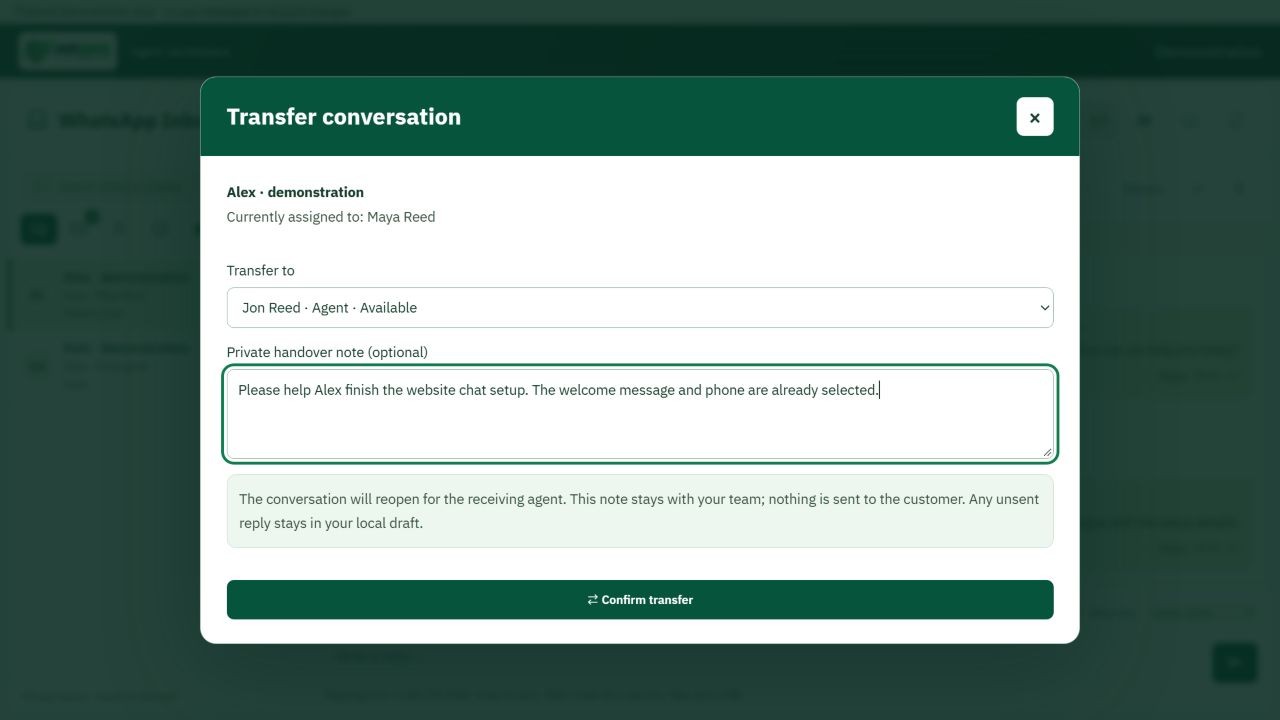
Transfer your assigned chat with an internal note and keep one conversation history.
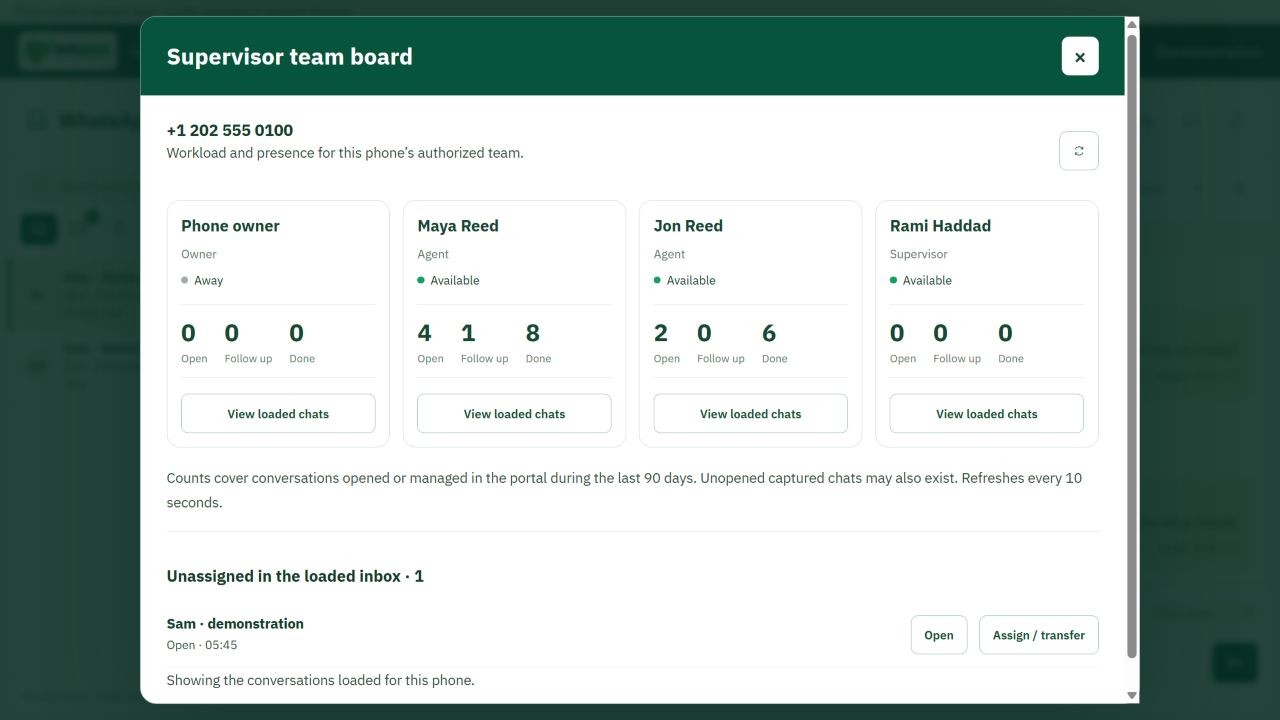
Review phone-team availability and workloads, then assign and reassign.
Version 1.0.2 adds a compact icon toolbar and a language menu. English message content reads from the left and Arabic from the right. Successfully loaded contact names and profile pictures are retained in memory while this inbox is open, including during refreshes and temporary photo failures. Photos are scoped to your account and phone.
Install the MSI to add WASMS Agent to your Start menu, or download the portable EXE/ZIP and keep it in a folder. The MSI supports repair and uninstall and keeps your app sign-in profile separate. You need Windows 10/11 x64, .NET Framework 4.8 and Microsoft Edge WebView2 Runtime. No separate WhatsApp QR pairing is needed on agent computers.
Use the same portal sign-in. The phone owner invites your existing portal account as an Agent or Supervisor from Inbox → Team. Accept the invitation with that account, then choose the shared phone. Never share the owner’s password.
Claim an unassigned conversation before replying. Use Enter to send and Shift+Enter for a new line. To transfer a chat assigned to you, select Transfer, choose an active phone-team member or the unassigned queue and add a private handover note. Confirm the transfer. The next agent sees the same history; the note is never sent to the customer.
Owners and supervisors open the shield icon for the team board. Review availability, open and follow-up workloads and the loaded unassigned queue. Supervisors can reassign conversations between authorized members of that phone. Only the owner manages membership and roles. Workload counts cover chats opened or managed in the portal during the last 90 days; additional unopened captured chats may exist.
Use the shared inbox’s image, document, audio and video previews. Microphone recording asks for permission and lets you review before sending. Enable generic unread notifications or keep-running-in-tray under Settings if wanted. Sign out and clear saved session before leaving a shared Windows account. Availability becomes Away on Windows lock or app exit. Internet access is required; replies are never queued for offline delivery.
Need the Microsoft runtime? Microsoft Edge WebView2 ↗
The app uses existing phone permissions, plan limits and server history. It does not create a separate desktop conversation archive. Its browser profile and saved sign-in data belong to your Windows user account. No API keys are entered in the app.
SHA-256 · MSI
85fae1c70732e5bde21ef503c91974774d8275bcc783a969f6b1898fbd7da7e3SHA-256 · WASMS-Agent.exe
3de5a291e7894602db464328da3d6587ad8efd46376bfc2acd7bfc358af9179cSHA-256 · ZIP
d519c8bbaa396b3173cb7eb11b4083ea67cd3e445eceafe5c44b51fe0016f645Microsoft.Web.WebView2 1.0.4314.35 · Component license