WASMS · Website WhatsApp Chat
Meet your website chat.
An introduction followed by the actual branding, phone selection, workflow and installation screens. English on-screen captions and a full transcript; demonstration data, no narration.
70 seconds · Introduction + English captionsFictional account and sample phone. This is a guided design preview; no subscription was activated and no WhatsApp messages were sent.
English transcript & chapters
Website WhatsApp Chat connects your website to your own WhatsApp phone. Use nine designs, a workflow bot and your support team.
Open Website chat from the portal menu. Choose a design, then customize your logo, colors, welcome text and language. Preview before publishing.
Select a phone you own, with its inbox enabled. The widget uses this phone and your existing WASMS messaging allowance.
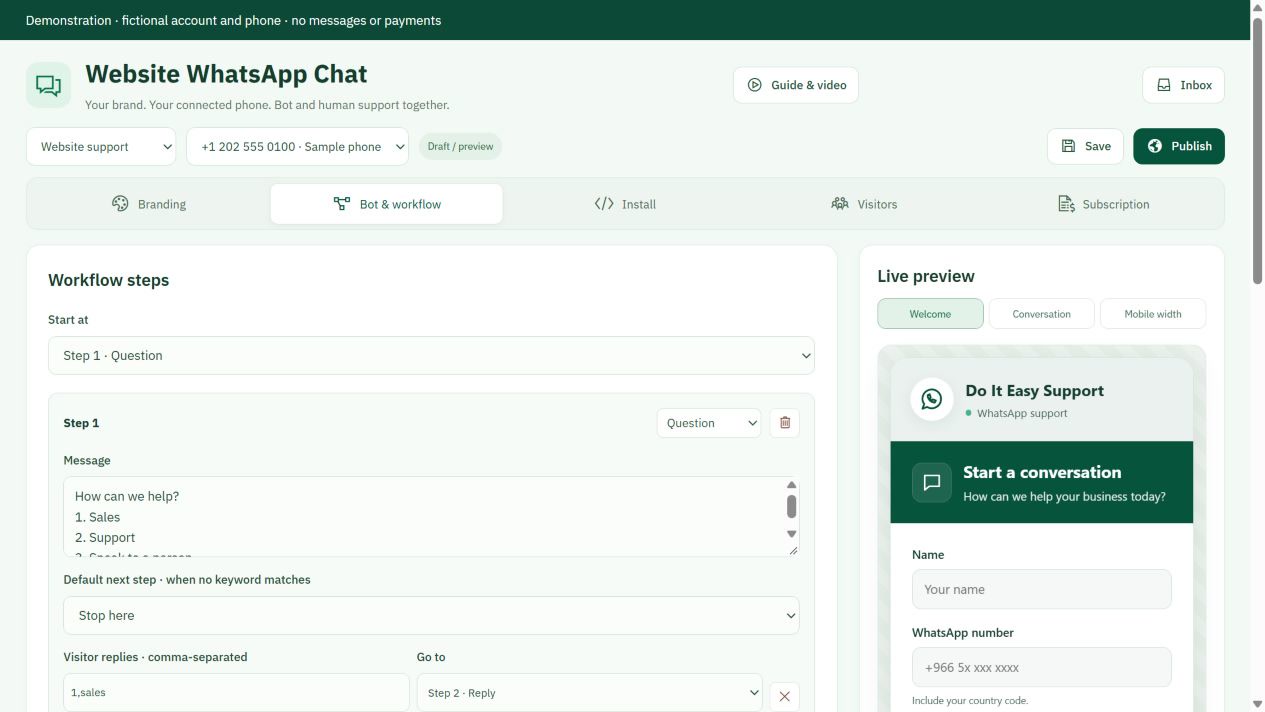
Use replies, questions and keyword branches. Add a human-agent step, opening hours and reply delays. Assignment or manual replies pause the bot.
Add exact HTTPS website origins and your privacy link. Save and publish, then paste the embed code before the closing head tag or use a CMS installer.
The visitor enters a name and WhatsApp number and gives contact permission. WhatsApp opens with a message. The visitor must press Send to start.
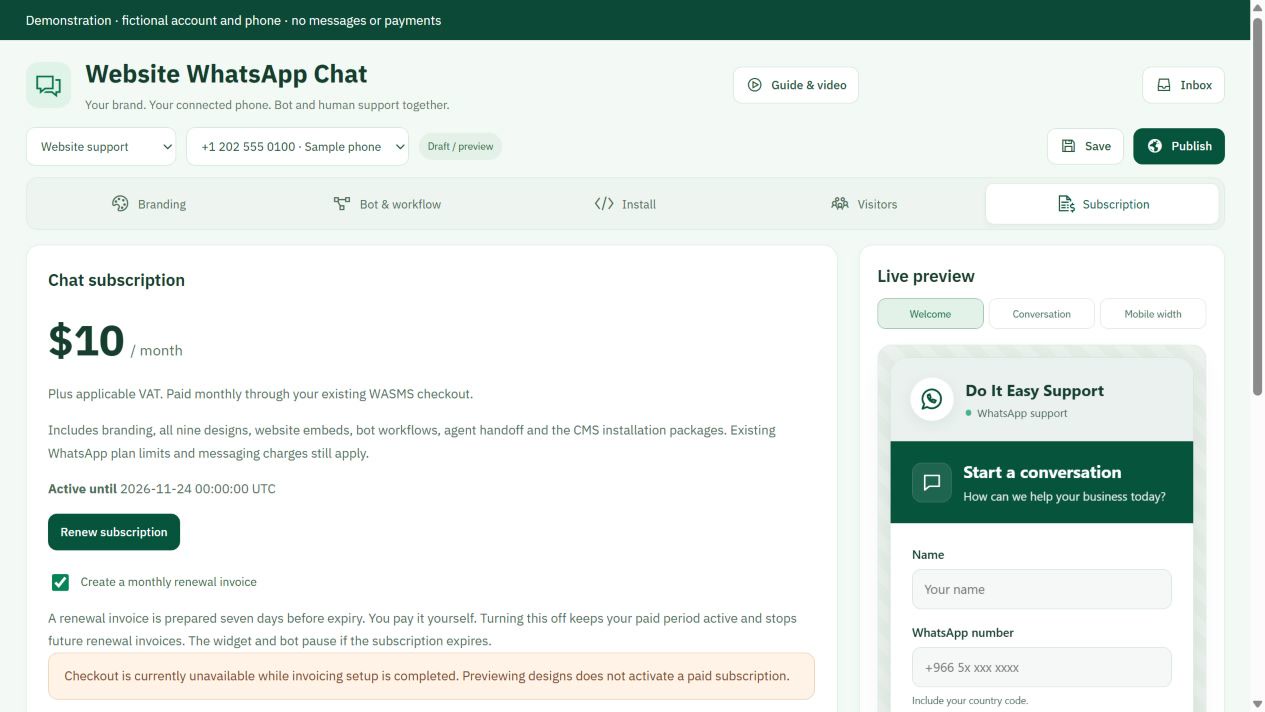
Continue human conversations in the shared inbox. The add-on is 10 USD per month before VAT. Pay renewal invoices through checkout; no automatic card charge.
Set up your website chat
Open chat dashboard ↗1Subscribe & choose your phone+
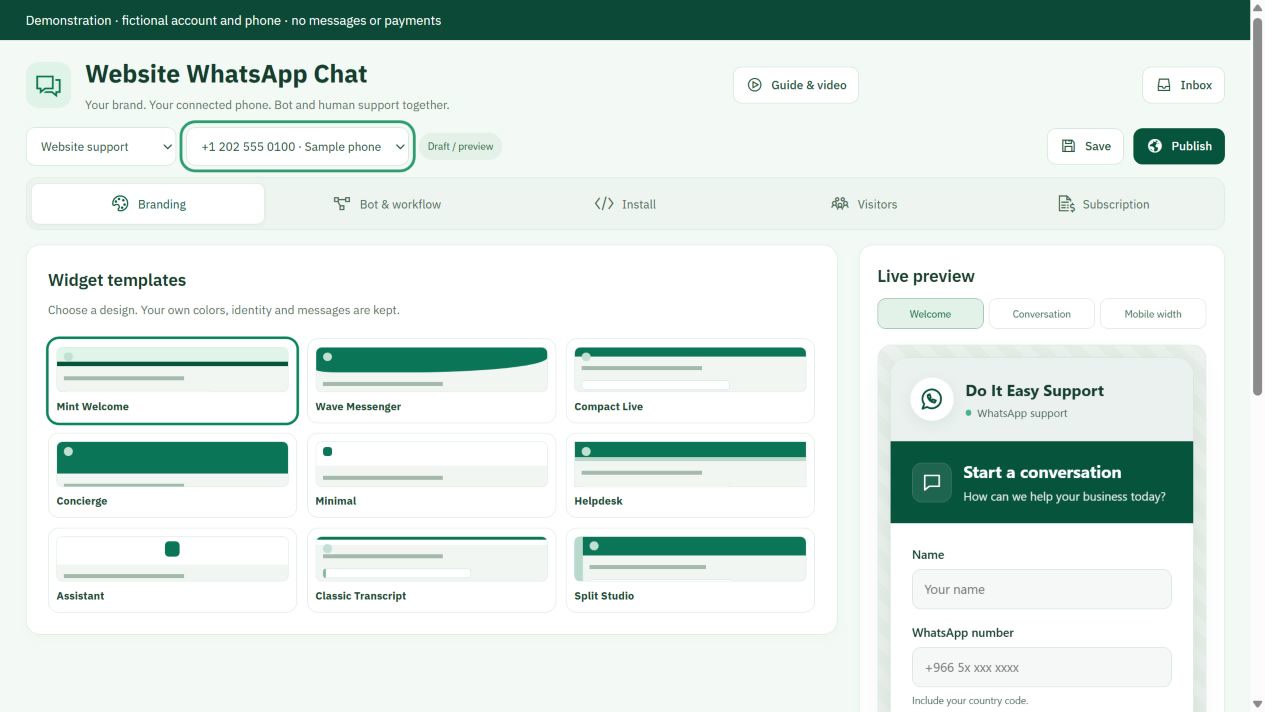
Buy Website WhatsApp Chat for 10 USD per calendar month before VAT. After verified payment open Dashboard → Website chat. Select one of your owned, connected phones with inbox capture enabled. This add-on uses your existing messaging allowance; normal usage charges apply.
Select your connected phone
2Brand, preview & publish+
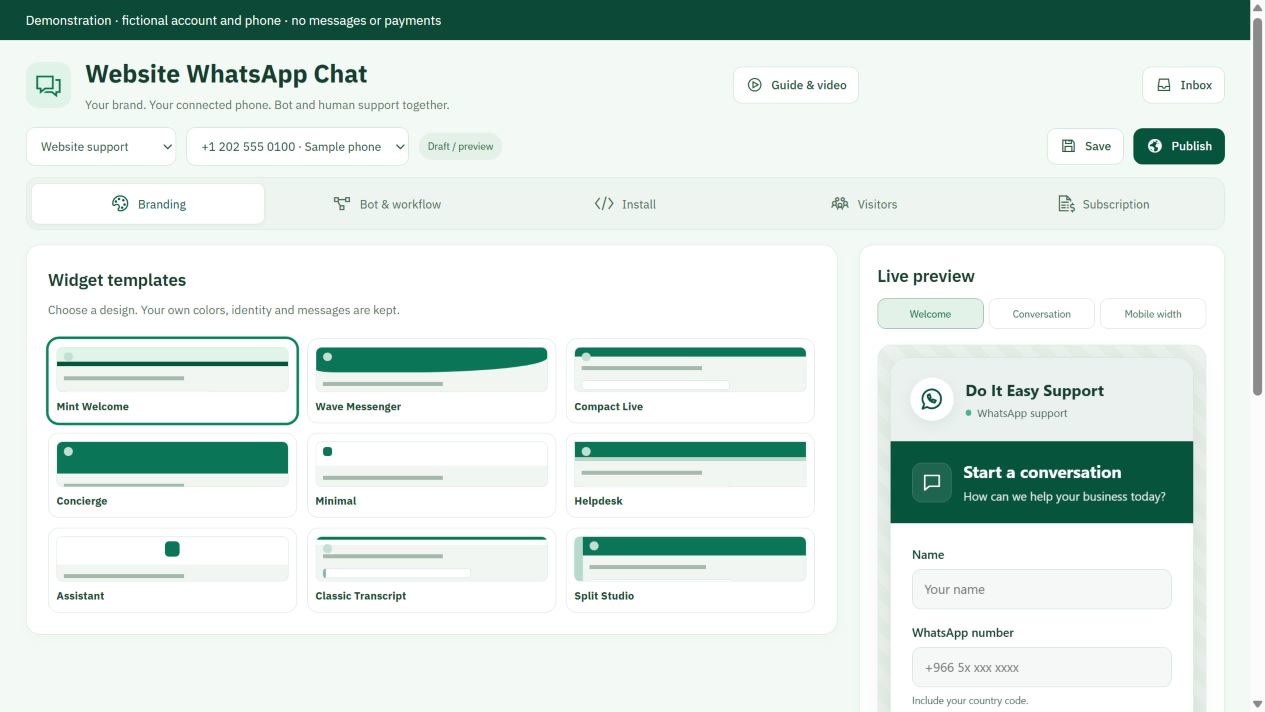
Choose one of nine layouts, your colors, logo, avatar, launcher and English or Arabic labels. Add your privacy policy URL and the exact HTTPS website origins where it may run. Save, then Publish. Pausing the widget hides it and cancels pending bot replies.
Branding and nine layouts
3Install on your website+
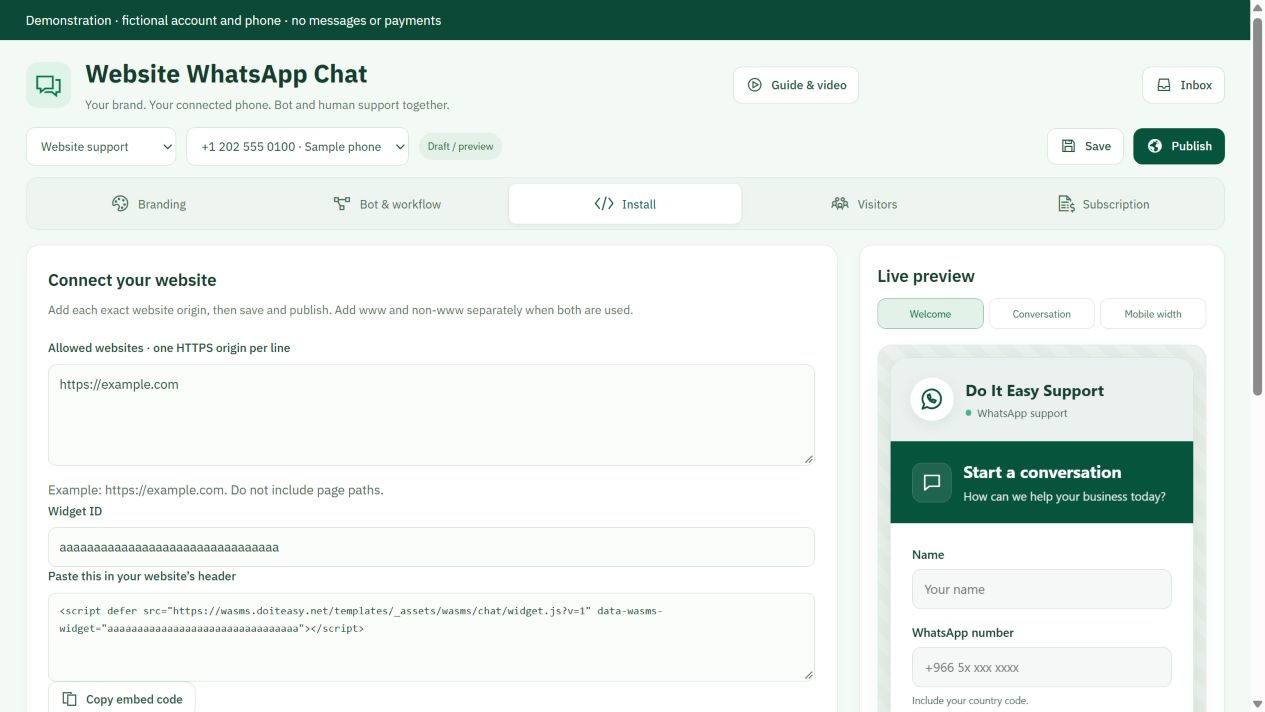
Copy the script from Install into the website header before </head>. Alternatively download the matching connector: WordPress/WooCommerce, WHMCS, OpenCart 4, PrestaShop, Magento 2.4.7+, or the Shopify theme and BigCommerce Script Manager installation kits. Enter only your Widget ID; never place API credentials in a public website. Installation instructions and compatibility notes are inside every ZIP.
Allowed websites and header embed
4Welcome, workflow & real agents+
Enable the workflow bot when ready. Configure message, question, agent and end steps; keyword branches; opening hours and timezone; and a delay between replies. Use Test workflow for a simulation that sends no WhatsApp messages. A visitor enters their name and WhatsApp number, gives contact permission and opens WhatsApp. They must press Send there. The bot starts only after that message arrives from the matching number. Human requests, a claimed conversation or a manual reply pause automation. Continue from the shared inbox.
Workflow replies and agent branches
5Visitor privacy & monthly invoices+
Contact permission applies to this request. Optional marketing permission is separate and unchecked by default. Verified visitors are saved as contact references without overwriting existing names; select recipients and confirm consent separately for any campaign. Visitor records are encrypted and retained for up to 90 days as configured. Renewal invoices are prepared seven days before expiry; pay through the existing checkout. No automatic card charge. Stop future renewal invoices in Subscription; your paid period continues until expiry.
Monthly renewal invoices